Barcode Generator Online

Create professional barcodes in seconds. Support for all major formats with high-quality output for print and digital use.

CODE128: Best for general use, supports letters and numbers

2
100px

Barcode Type Guide

CODE128: Most versatile, supports all ASCII characters
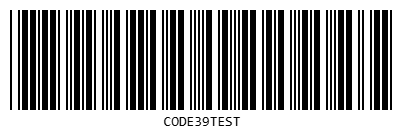
CODE39: Alphanumeric + some symbols
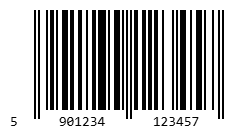
EAN13: Standard product barcodes (13 digits)
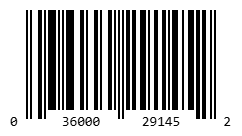
UPC: Universal Product Code (12 digits)
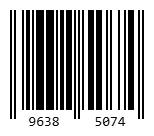
EAN8: Compact product barcodes (8 digits)
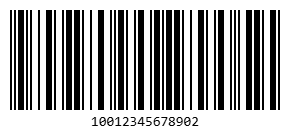
ITF14: Shipping container codes (14 digits)

How to Use

1

Enter Data

Type or paste the data you want to encode into a barcode. This could be product numbers, URLs, text, or any information you need to store.

2

Choose Format

Select the barcode type that best fits your needs. Different formats support different data types and have varying capabilities.

3

Download

Generate your barcode and download it in your preferred format. Available in PNG, JPG, and PDF for versatile usage across applications.

Common Use Cases

Retail & Inventory

Track products, manage stock levels, and streamline checkout processes. Barcodes are essential for modern retail operations, enabling quick scanning and accurate inventory management across warehouses and stores.

Shipping & Logistics

Track packages throughout the delivery process with unique identifiers. Enable automated sorting, route optimization, and real-time tracking for efficient supply chain management.

Asset Management

Label and track company assets, equipment, and resources. Maintain detailed records of location, maintenance history, and assignment information for improved organizational efficiency.

Event Ticketing

Create scannable tickets for events, concerts, and conferences. Enable quick check-in processes, prevent fraud with unique codes, and gather valuable attendance data.

Document Tracking

Organize and locate files, documents, and records quickly. Implement efficient filing systems in libraries, archives, and offices with scannable identification codes.

Marketing Campaigns

Connect physical materials to digital content through QR codes. Enable instant access to websites, promotions, and product information by scanning printed materials.

Supported Barcode Types
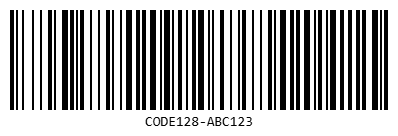
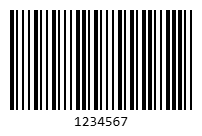
CODE128 (Alphanumeric)
High-density linear barcode for alphanumeric data
CODE128 (Alphanumeric)
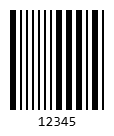
CODE39 (Alphanumeric)
Widely used for industrial applications and inventory
CODE39 (Alphanumeric)
EAN13 (13 digits)
Standard retail product barcode format
EAN13 (13 digits)
EAN8 (8 digits)
Compact version of EAN for small packages
EAN8 (8 digits)
UPC (12 digits)
Universal product code for North American retail
UPC (12 digits)
ITF14 (14 digits)
Used for packaging and distribution of products
ITF14 (14 digits)
MSI (Numeric)
Used primarily for inventory control and marking storage containers
MSI (Numeric)
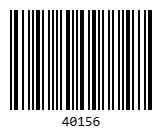
Pharmacode (Numeric)
Pharmaceutical binary code used for packaging control
Pharmacode (Numeric)
Codabar (Numeric + symbols)
Used in libraries, blood banks, and air parcel services
Codabar (Numeric + symbols)

Frequently Asked Questions

What is a barcode? +
A barcode is a machine-readable representation of data in a visual format. It consists of parallel lines, dots, or other geometric patterns that encode information. Barcodes are scanned using optical readers and are widely used for quick identification and data retrieval in various industries.
Which barcode format should I choose? +
The choice depends on your specific needs. For retail products, use EAN-13 or UPC-A. For inventory and general purposes, Code 128 offers good data density. For URLs and complex data, QR codes are ideal. Consider factors like data type, scanning distance, and industry standards when making your choice.
Can I use these barcodes commercially? +
Yes, you can use the generated barcodes for commercial purposes. However, for retail products requiring EAN or UPC codes, you may need to obtain official numbers from GS1, the global standards organization. Barcode-Generator.com creates the barcode image itself, but official registration may be required for certain applications.
What image format should I download? +
For print materials, use SVG or PDF for scalable, high-quality output that maintains clarity at any size. For digital use or website integration, PNG format works well. SVG is recommended for professional printing as it provides vector graphics that won't pixelate when enlarged.
How do I scan a barcode? +
Barcodes can be scanned using dedicated barcode scanners, smartphone cameras with barcode reader apps, or point-of-sale systems. Ensure good lighting, hold the scanner steady, and position it at the recommended distance for optimal reading. Most modern smartphones have built-in barcode scanning capabilities in their camera apps.
What size should my barcode be for printing? +
Barcode size depends on the scanning distance and application. For retail products, the minimum recommended height is 1 inch (25mm) for optimal scanning. For warehouse applications where scanning occurs at greater distances, larger sizes are needed. Always include a quiet zone (blank space) around the barcode equal to at least 10 times the width of the narrowest bar to ensure reliable scanning.
Are the generated barcodes permanent? +
Yes, once you download a barcode, it's yours permanently. The barcode image file will continue to work as long as you keep it. However, barcodes generated on Barcode-Generator.com are not stored on any server — they're created directly in your browser and exist only on your device after download.
Can I change the colors of my barcode? +
While traditional barcodes use black bars on white backgrounds for maximum contrast and reliability, some formats allow color customization. However, maintain high contrast between bars and background for reliable scanning. QR codes offer more flexibility with colors, but always test thoroughly with multiple scanners before widespread use.
Do I need special software to scan barcodes? +
No special software is required for most barcode scanning. Modern smartphones have built-in camera apps that can read QR codes and many standard barcodes. For business applications, dedicated barcode scanner apps offer additional features like batch scanning, inventory management, and data export capabilities.
What's the difference between 1D and 2D barcodes? +
1D barcodes (like Code 128, UPC) store data horizontally in varying bar widths and are read in one direction. They typically hold 20-25 characters. 2D barcodes (like QR codes, Data Matrix) store data both horizontally and vertically, allowing them to hold significantly more information - up to several thousand characters. 2D codes can also include error correction, making them more reliable if partially damaged.
Why won't my barcode scan? +
Common scanning issues include insufficient contrast, barcode being too small or too large, damaged or distorted printing, inadequate quiet zones around the barcode, poor lighting conditions, or using the wrong barcode format for your scanner. Ensure your barcode is printed clearly with good resolution, has adequate white space around it, and matches the format your scanner supports.

About This Tool

Barcode-Generator.com is a simple, fast, and free solution for creating professional barcodes. Whether you're a small business owner, developer, event organizer, or simply need to generate a few barcodes, we offer the flexibility and quality you need.

We support all major barcode formats, ensuring compatibility with standard scanning equipment worldwide. The generated barcodes meet industry specifications and can be used for both commercial and personal projects.

No registration required, no watermarks, no hidden fees. Generate as many barcodes as you need, whenever you need them. Everything runs entirely in your browser, ensuring your data remains private and secure.